Microsoft Search for Business
I led the design of Microsoft Search for Business inside the Windows search box. It spanned Windows 10 and 11, a small space shared by many teams.
The visual language followed existing Windows and Fluent branding, so my work was the strategy and process: defining a clear framework for work search, designing deeper search with fewer barriers, testing with real users, making the case to partners, and building a design library for future work.
- Role
- Design lead
- Services
- Product designUX researchDesign systems
- Client
- Microsoft
- Platforms
- Windows 10 and 11
- Team
- 3 product managers, 6 engineers
- Partners
- Windows 10 and 11 search box teams
- Year
- 2022
Results
I left Microsoft before the full launch, but we ran a soft beta with about 35% of business customers, to understand how people used it, gather data and refine it before the full launch. It got significant positive feedback, and the Work Mode prototype behind it won Microsoft's Fix, Hack, Learn hackathon. Over three weeks:
Discovery
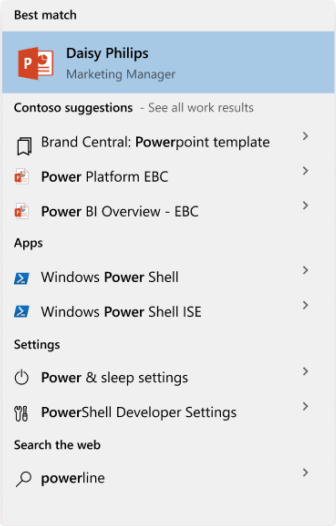
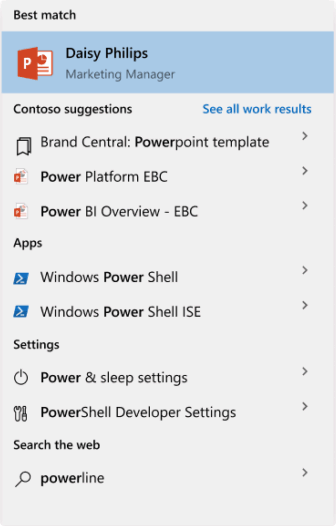
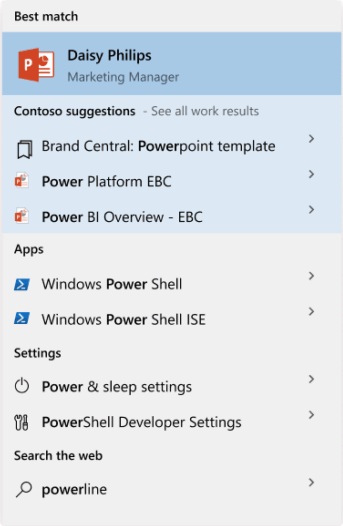
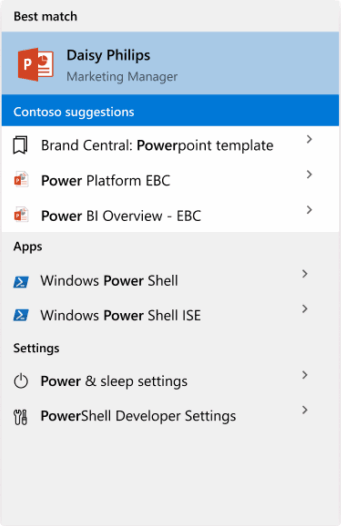
The Windows search box is a small, shared space with long-running problems in its flow and competition for results. I narrowed them down to the five that mattered most.
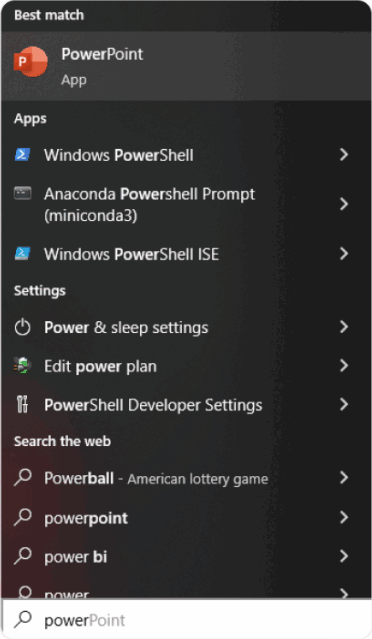
Most searches were for local files and apps, and ranking favored local content.
Most people didn't know Microsoft Search for Business existed, or that they could search work content here.
40–50% of results were unrelated web results, taking space from work results.
Years of searching for local files and apps had set people's expectations.
The filtered views were confusing, so they went almost untouched: only 1% of power users used them.
Goals
With the problems defined, I set the goals and framework for work search in the search box.
An engaging, deep search experience that creates new habits.
A consistent experience across the Microsoft Search ecosystem.
Helping people finish tasks while staying in context.
Working within limits
The first version came with tight constraints, so I looked for changes that could move the needle even a little, and that we could test to get data.
- Shared space
- The search box is heavily controlled and used by many teams.
- Resources
- We had little engineering support.
- Scope
- Initial approval was for a low-cost minimum viable product.
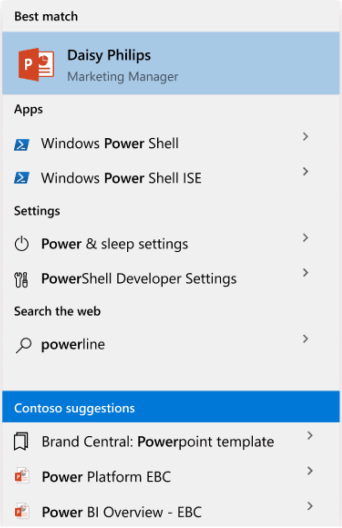
Testing with users
To convince partners to accept bigger changes in a shared space, I needed data, so I ran quick studies on the main problem areas.
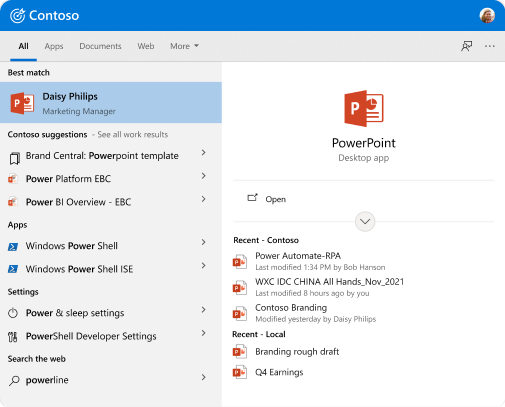 Flight 1
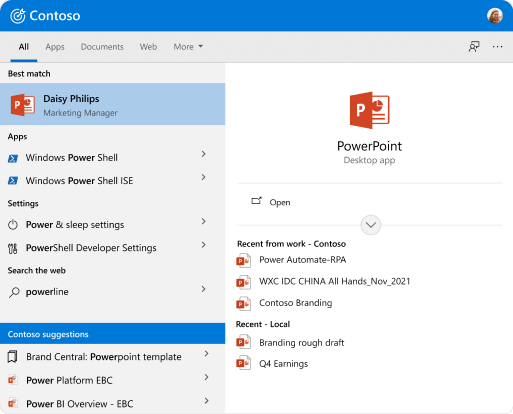 Flight 2
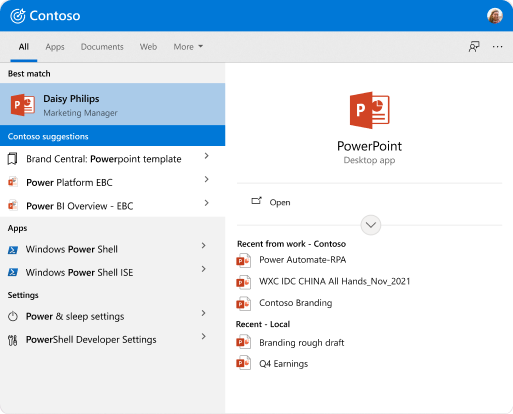 Flight 3
5,000 users over two weeks, in different regions, testing three designs of work results in the All tab's suggestions.
What we learned- +0.5% click-throughs on work searches
- No increase in work search queries
- Confusion about where cloud results came from
Video calls with current business customers and Bing Insiders.
What we learned- Unclear what was coming from work search
- Concerns about privacy
- Overwhelmed by the results pane
- Wanted to stay in the search box
Making the case
The research convinced Bing leadership to make the search box work-focused when people sign in with a work account, separate from the consumer version. A working session turned the problems into five pillars.
- 1Rank work results higher in suggestions.
- 2Add a Work tab for deep work search.
- 3Test a work mode, separate from consumer.
- 4Hand off directly, without sending people to the web.
- 5Allow one or two levels deeper in rich answers.
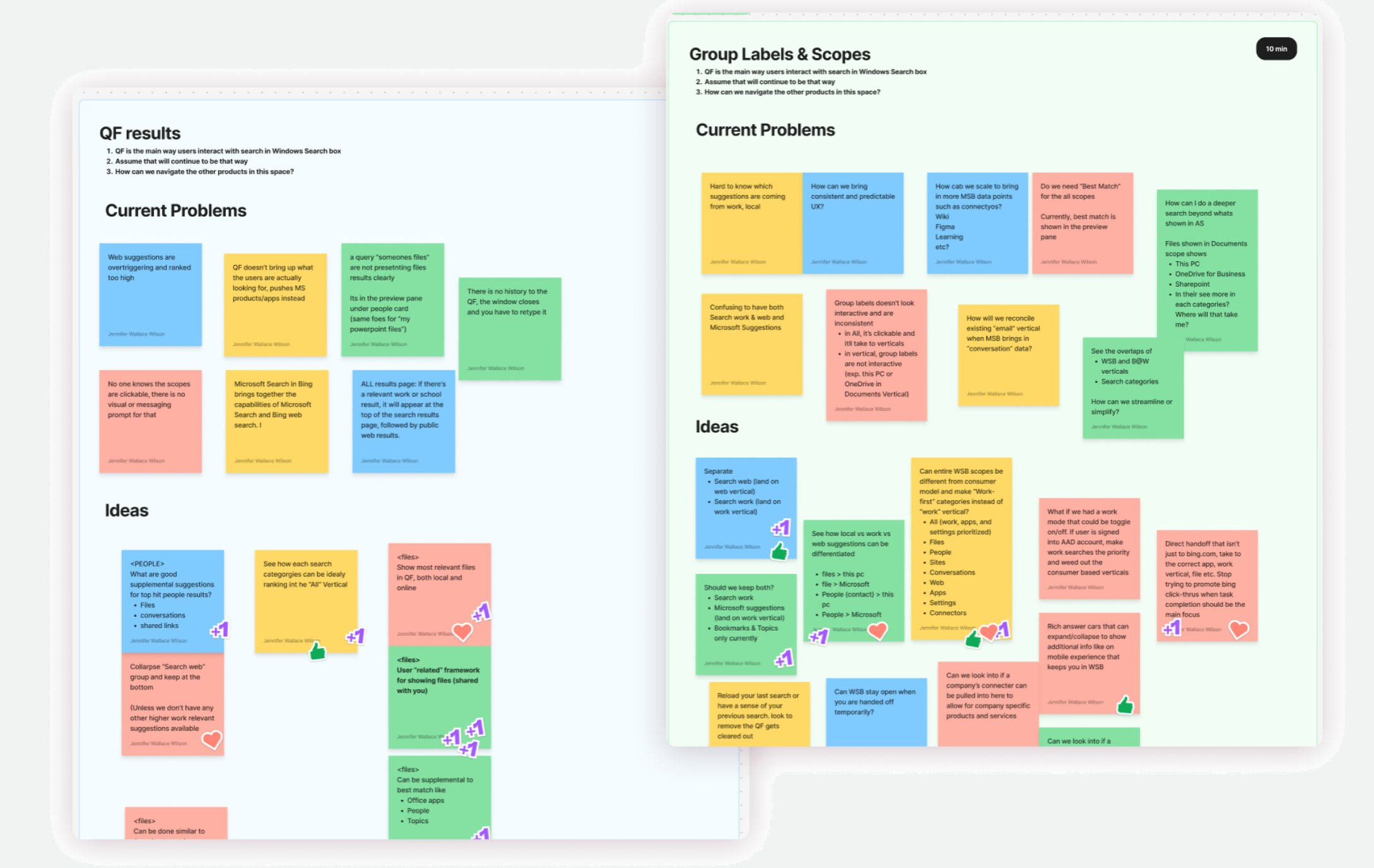
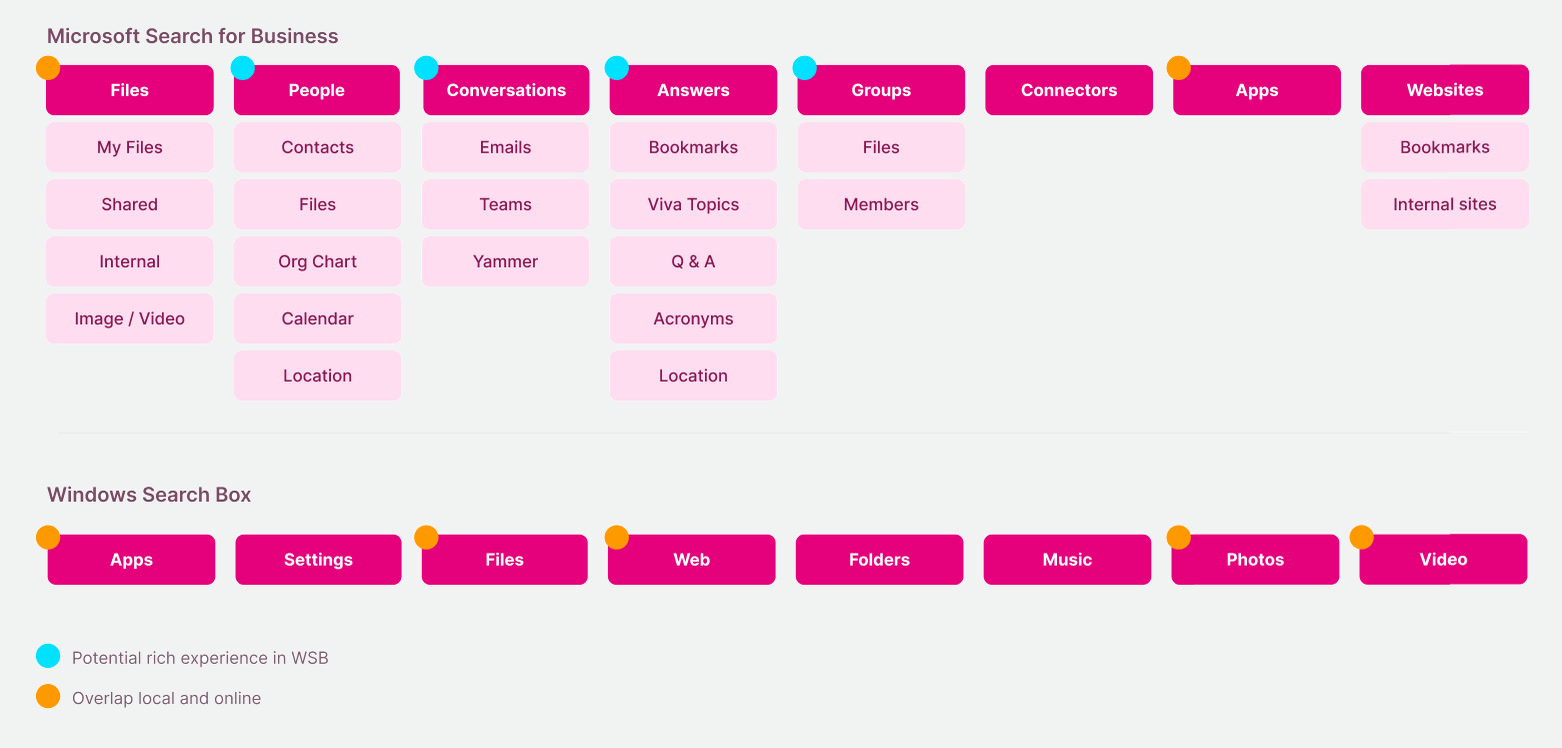
Winner: Microsoft's Fix, Hack, Learn hackathon
I built a rapid prototype of Work Mode for the hackathon, to get it in front of people and start gathering feedback. It won. People were excited about it, and the win earned Work Mode the green light: development, and the beta test flights.
The final design
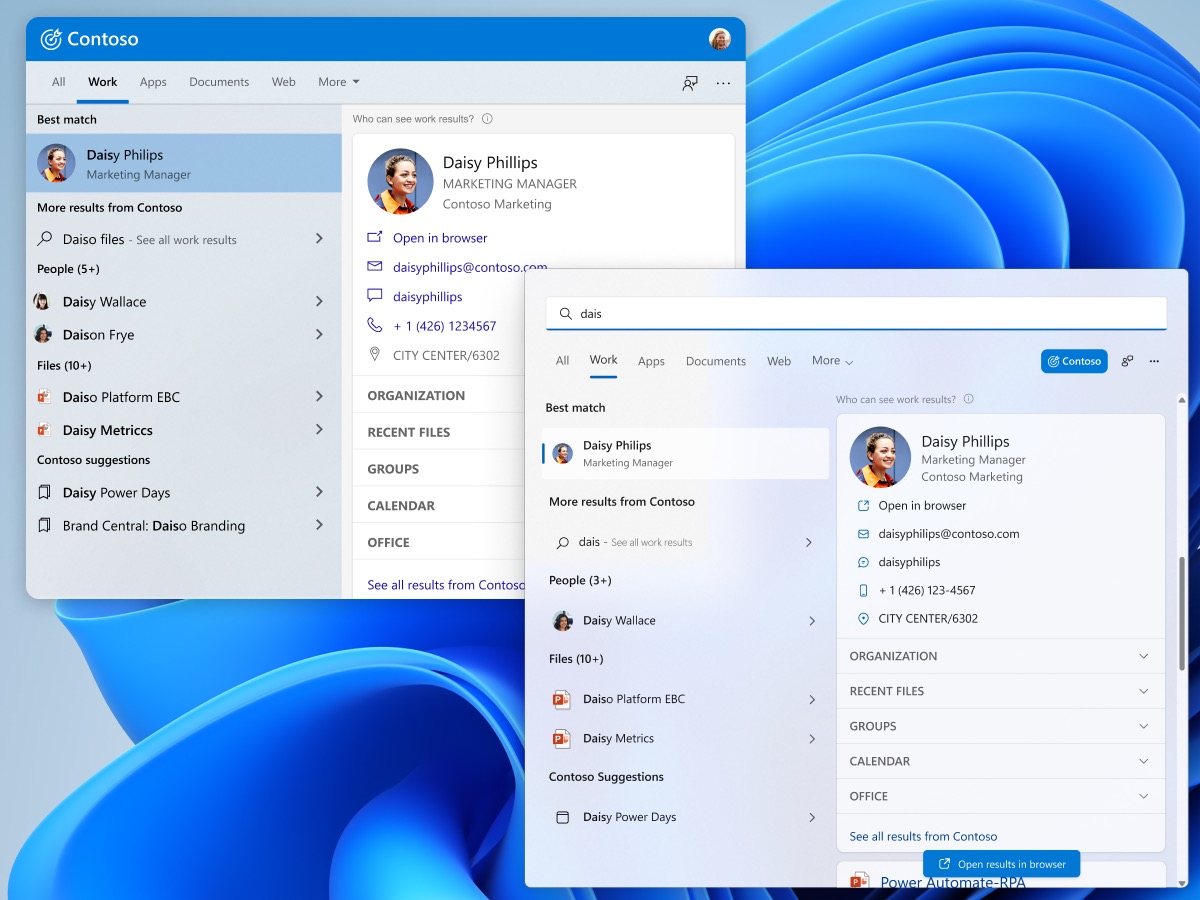
A work-focused view in the All tab, plus a dedicated Work tab for deeper searches. Some queries lead straight to the Work tab, to teach people it exists, without taking the most valuable results out of the All tab.
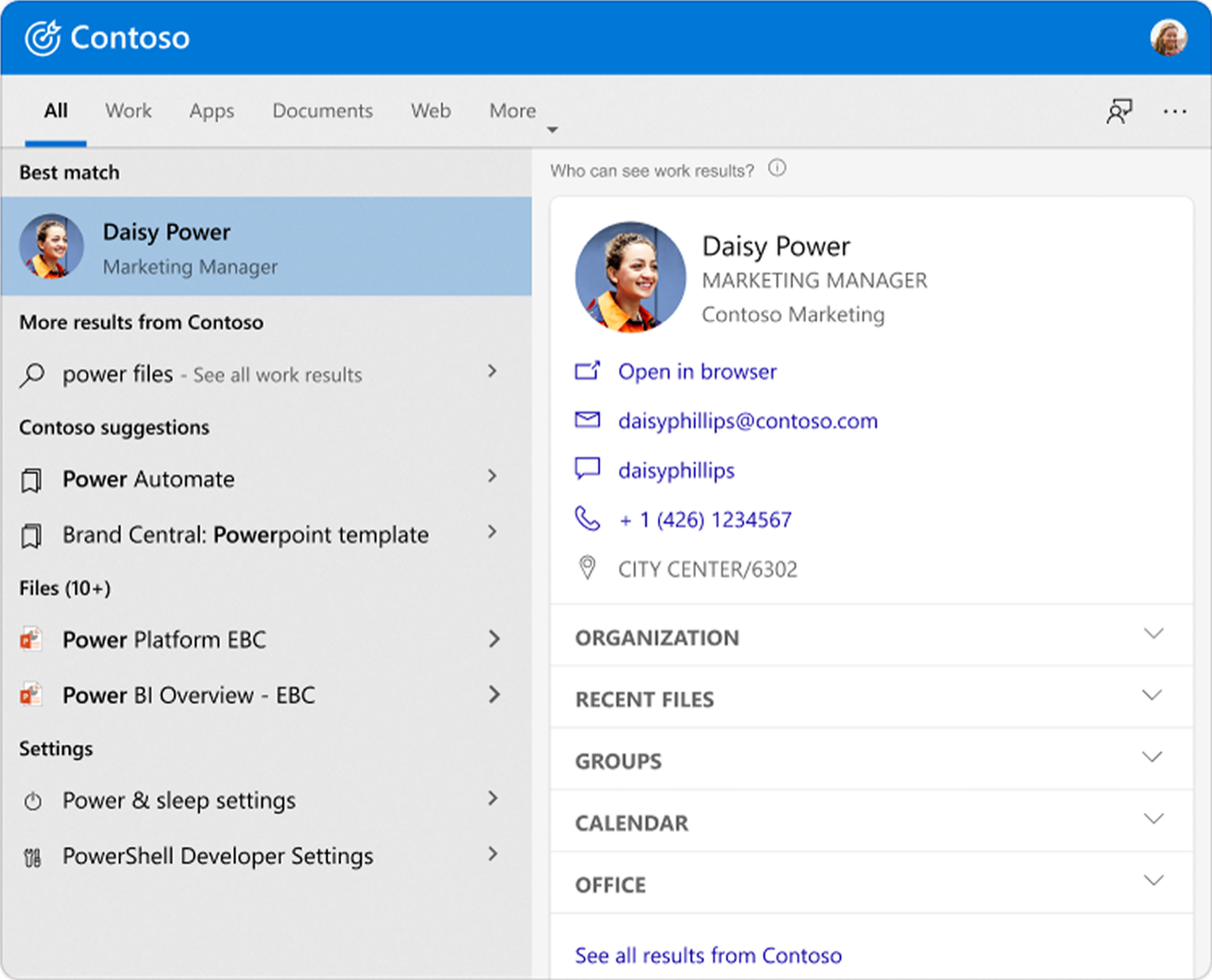 All tab, Windows 10
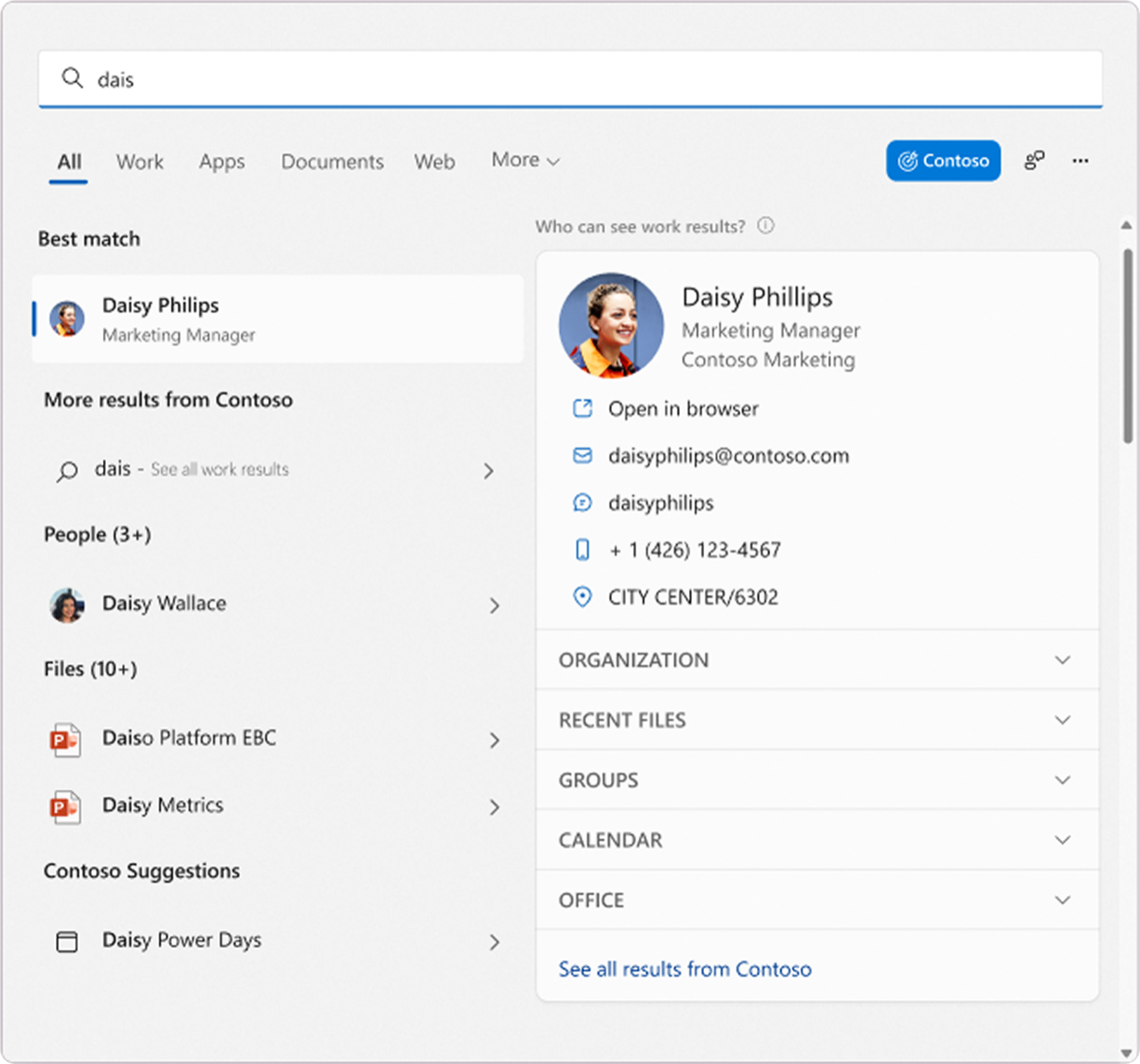 All tab, Windows 11
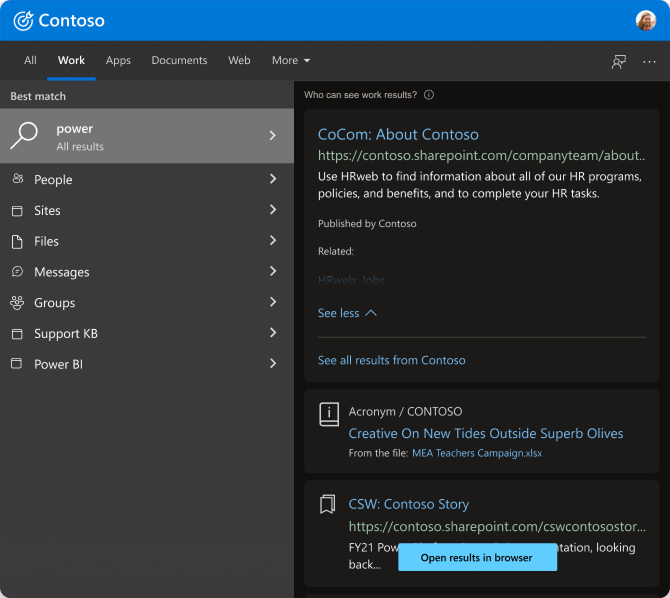 Work tab, Windows 10
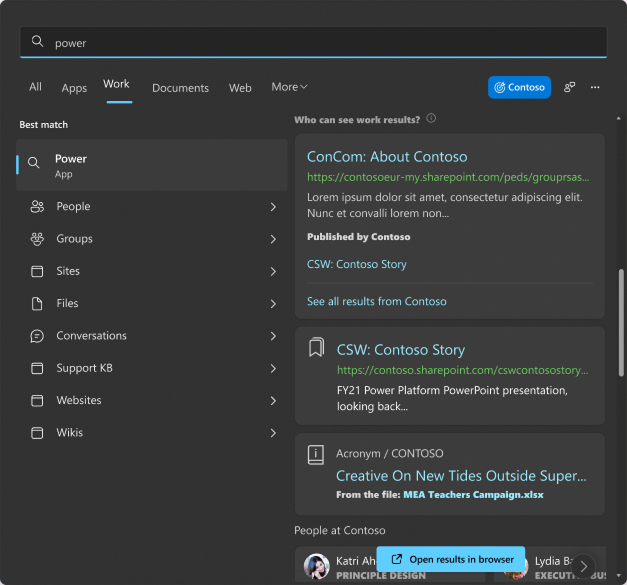 Work tab, Windows 11
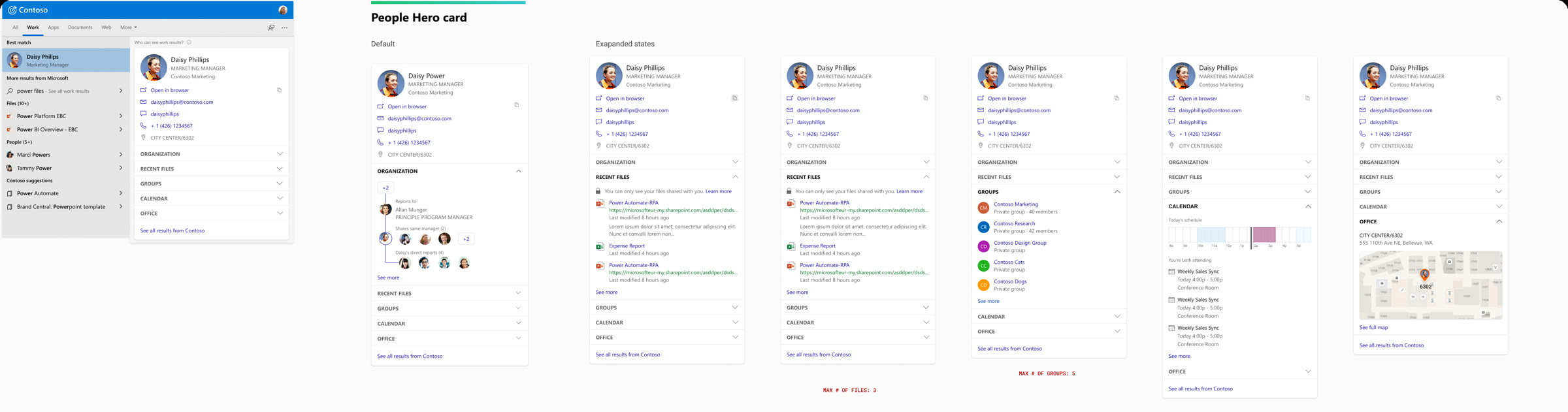
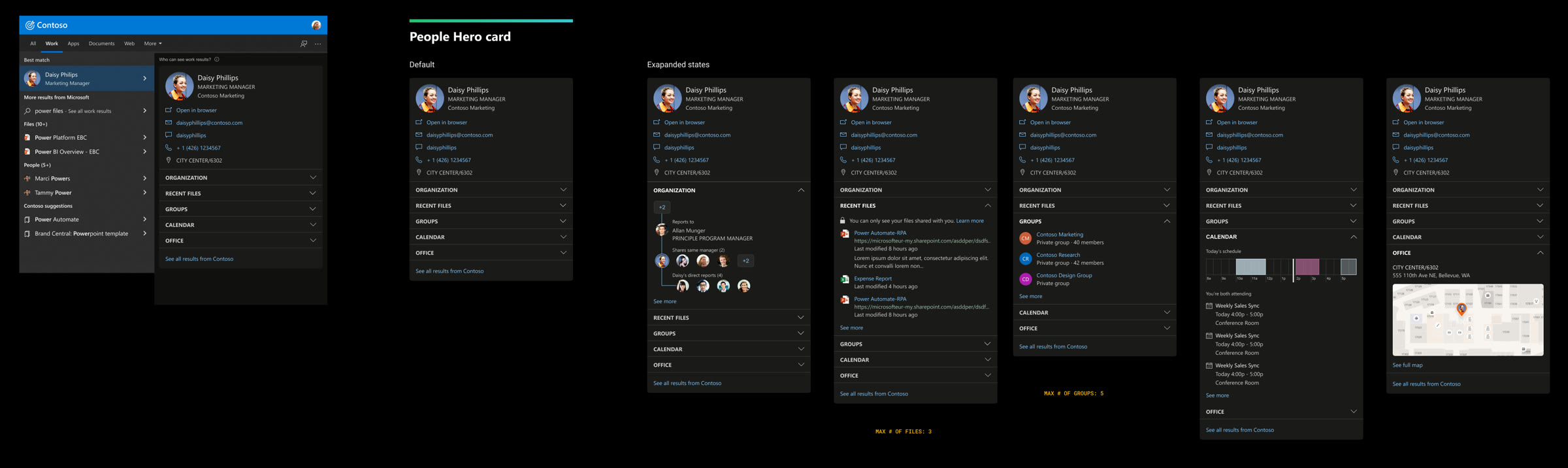
Rich hero cards bring the Microsoft Search mobile experience into Windows. Each section of the card expands and collapses in place, so people get deeper information without leaving or starting a new search. I adapted them from mobile and updated them for Windows accessibility.
The All tab borrows the Work tab's results, so it's useful on its own and quietly shows people that deeper work search exists.
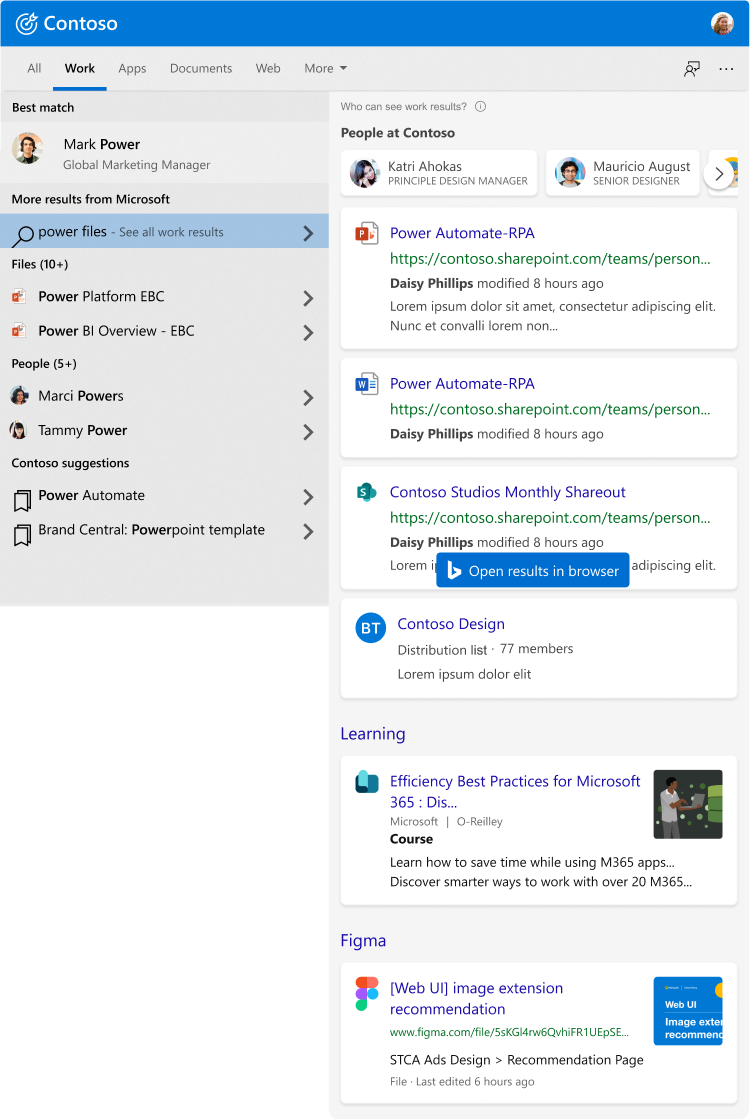 All results, powered by the Work tab
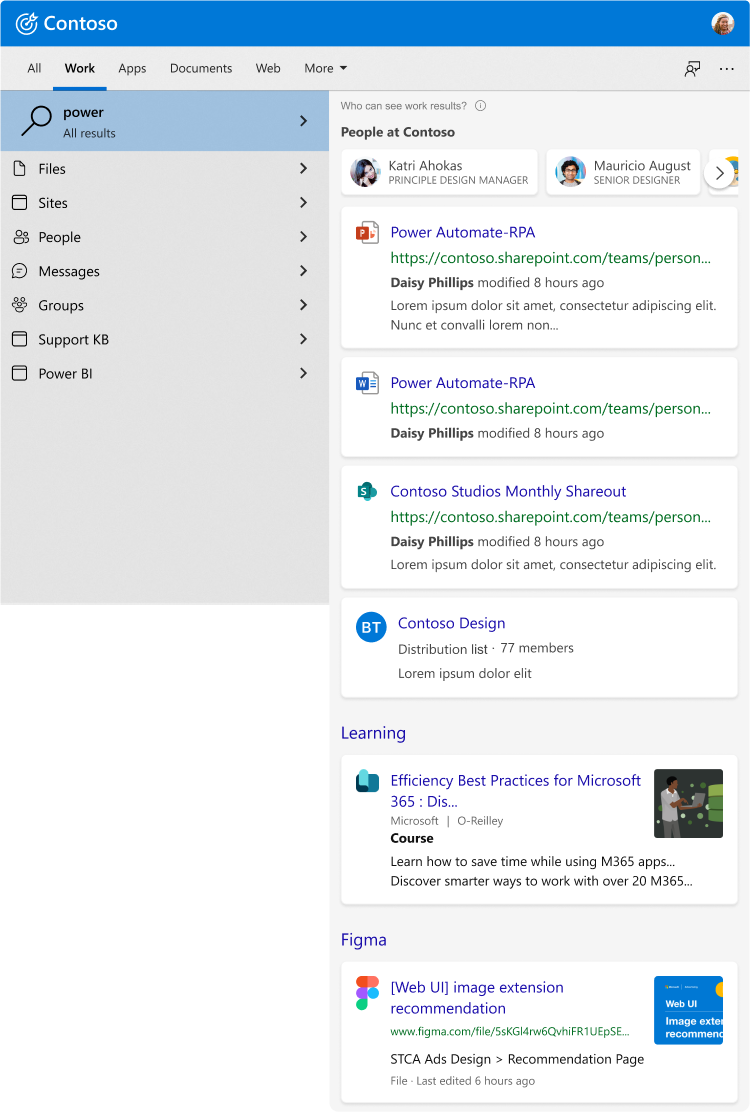 Same view in the Work tab, with filters
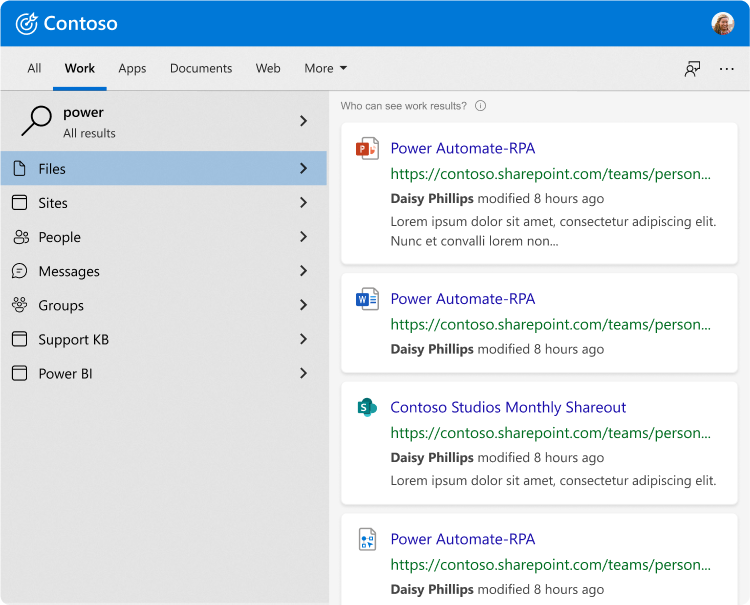 Filtered by category
I also finalized the design system for all of Microsoft Search for Business: every experience across Microsoft 365, Bing and Edge, every state documented with clear direction for new work, and built on existing Fluent and Windows 11 branding.